Trade the scroll for Scripture.
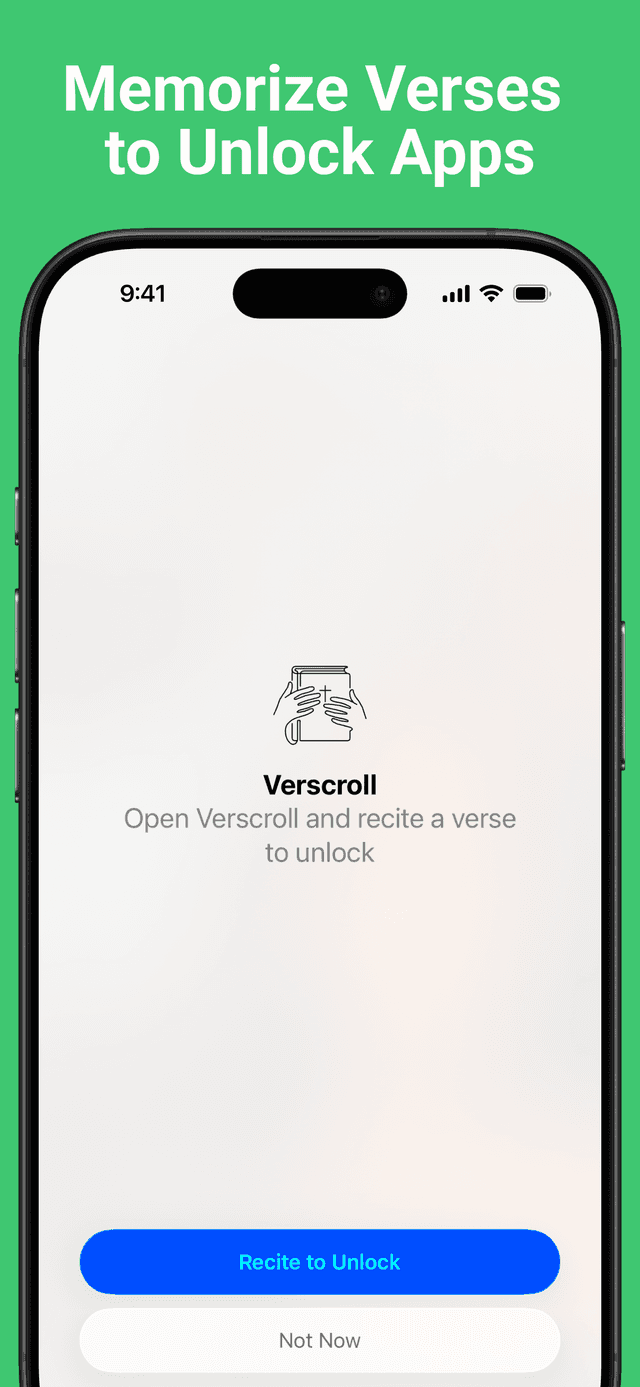
Verscroll locks your distracting apps behind Bible-verse recitation — so the reflex to open Instagram becomes a moment with Scripture.


How it works
Choose the apps to lock
Pick the apps that pull you in — Instagram, TikTok, whatever steals the scroll. Verscroll shields them with Apple Screen Time.
Add the verses you want to memorize
Pick a translation and enter a reference like John 3:16. Verscroll fetches the verse text for you, ready to learn.
Recite to unlock
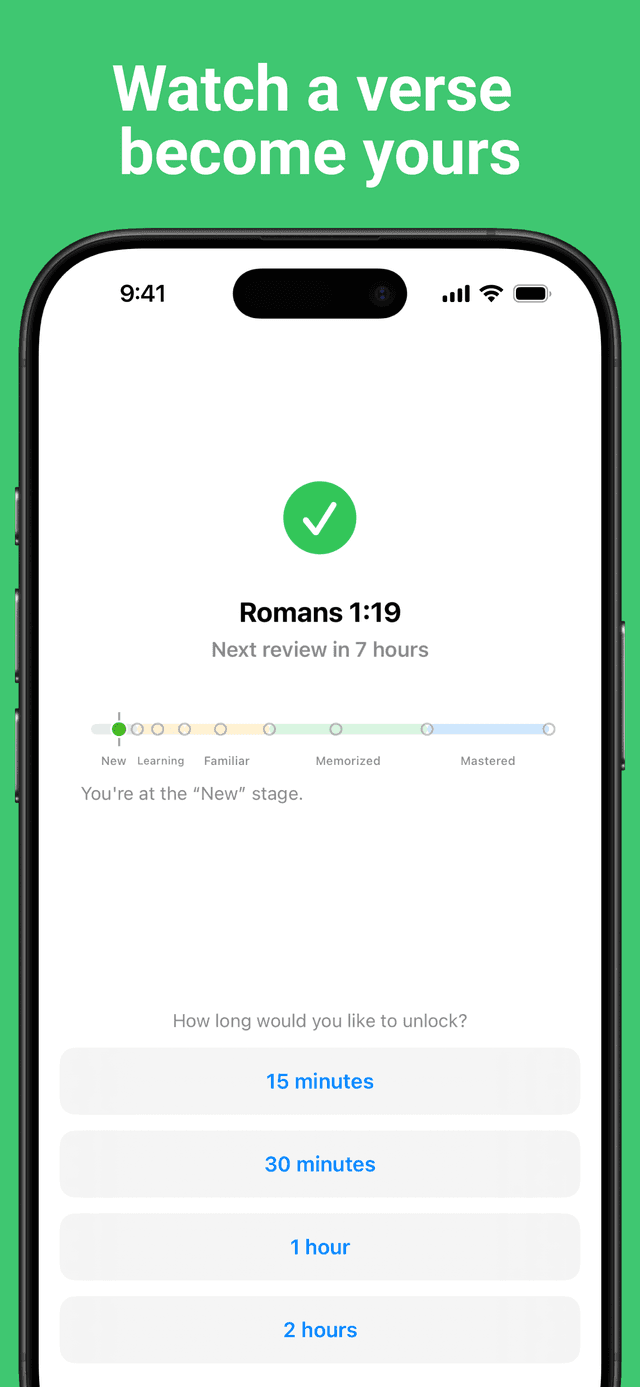
Tap a locked app and Verscroll asks you to recite. Get it right and choose how long to unlock — 15 minutes, 30 minutes, 1 hour, or 2 hours. Apps re-lock on their own when the timer ends.
What makes it work
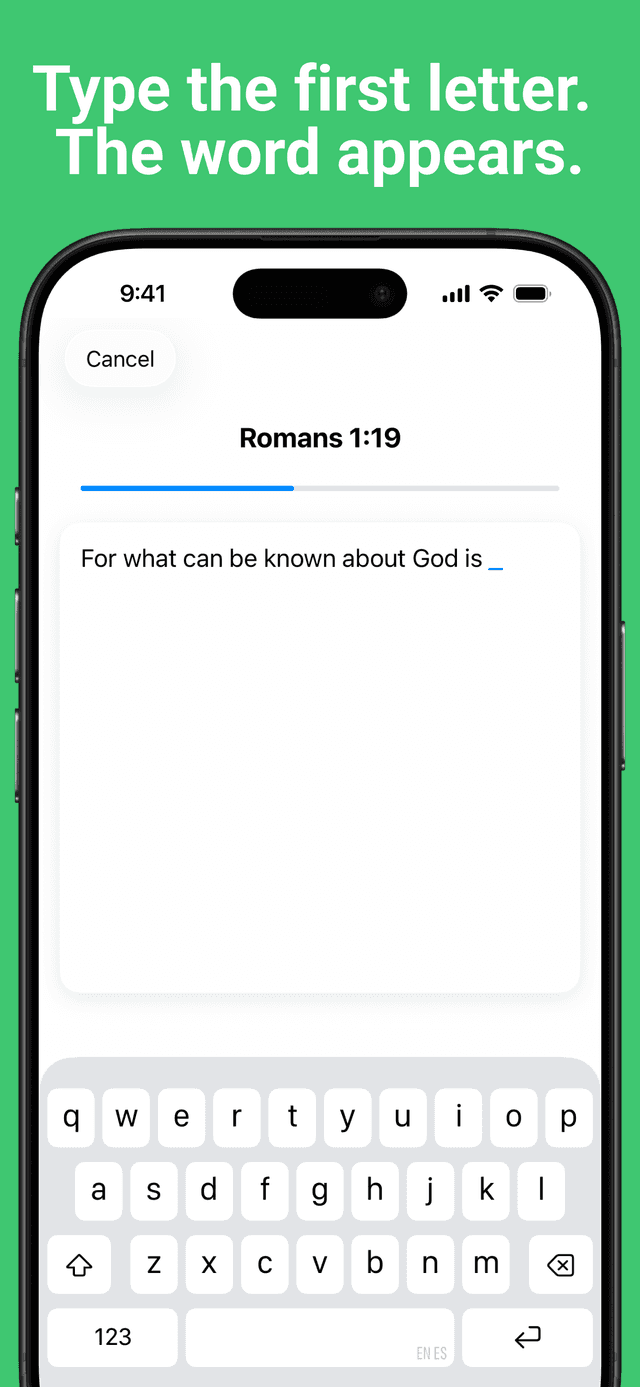
First-letter recitation
Type the first letter of each word and the verse fills in. A gentle Reveal hint appears if you get stuck — enough help to keep going, not enough to cheat.
Spaced repetition
Verses you are still learning come up often; ones you know come up rarely. Watch each verse climb from New to Learning to Familiar to Memorized to Mastered.
Built on Apple Screen Time
A native shield on the apps you choose, powered by Family Controls. No workarounds, no browser extensions — it just works on iOS.
No account, no tracking
No sign-up, no analytics, no ads, and no third-party tracking. Verscroll talks to the Bible APIs only to fetch the verse text you ask for — your verses and progress stay on your device.
A look inside
Trade the scroll for Scripture today
Scripture text is served by the official Bible APIs of each translation:
- English Standard Version (ESV) — ESV provided by www.esv.org
- New Living Translation (NLT) — NLT provided by www.tyndale.com